
Purpose
Read inventory without confusing repeated balance rows with duplicated identities or package quantity with product units.
Expected outcome
You can follow a quantity movement from depot to site and distinguish availability from transit or issuance.
Prerequisites
Select the correct study and hold Inventory.View. Inventory-changing actions require their separate permissions. Product identity may be hidden from blinded users.
Section 1: Filter the inventory
- Open Inventory, then Kits.
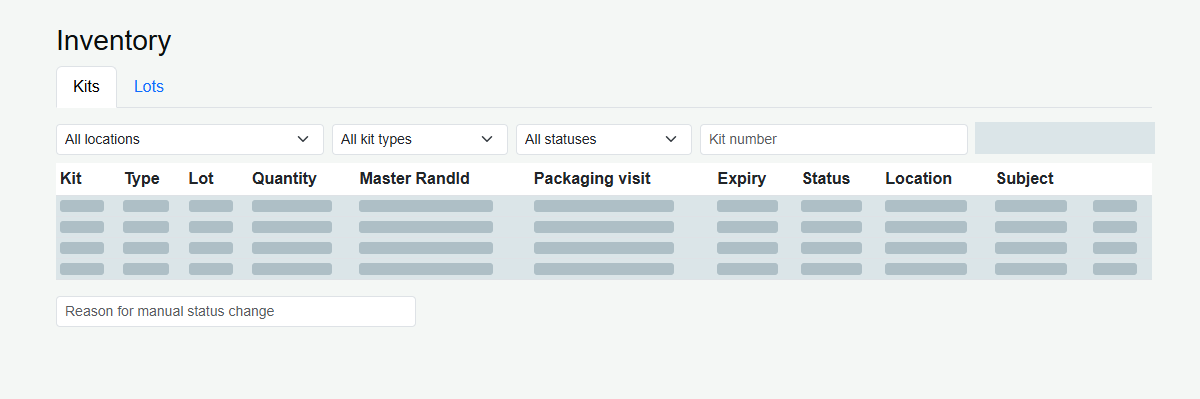
- Choose location, status and optional kit-number search.
- Use the kit-type filter only when your unblinded access permits it.
- Review Quantity, Lot, Expiry, Status and Location together. The list is capped at 500 kit/balance rows.
Section 2: Quantity versus units
Quantity counts physical packages under the applicable inventory model. Units per kit describes contents per package. For an illustrative shared identity with 100 packages and 30 tablets per package, shipping quantity 20 transfers 20 packages, not 20 tablets.
The same Kit Number can appear as 80 Available at the depot and 20 InTransit. After receipt, the latter balance becomes site stock. Separate balances and history preserve the total movement without creating a new product identity.
Section 3: Interpret stock states
| State | Operational interpretation |
|---|---|
| Available | Potentially usable at the recorded location, subject to all eligibility rules. |
| InTransit | Dispatched; not yet available for site dispensing. |
| Issued / Pending Verification display | Already issued; the outstanding physical check does not return it to available stock. |
| Quarantined, expired or destroyed | Not ordinary dispensing-eligible stock. |
Troubleshooting and checks
Use the correct location and filters before concluding stock is missing. Repeated shared identifiers can be expected. Never alter status solely to make a shipment or dispensation succeed; follow authorized disposition and accountability procedures.
This guide supports training and does not authorize clinical decisions, override access controls or establish regulatory compliance. The approved protocol and organizational procedures remain authoritative.