
Purpose
Understand how temperature data relates to product limits, excursion review and lot stability impact.
Expected outcome
You can locate relevant readings and identify when an authorized signed disposition is required.
Prerequisites
Configured product storage ranges/stability budget from approved documentation. Temperature.View permits review; Temperature.Manage permits data entry/import; Excursions.Disposition permits signed QA disposition.
Section 1: Review the reading window
- Open Cold Chain in the correct study.
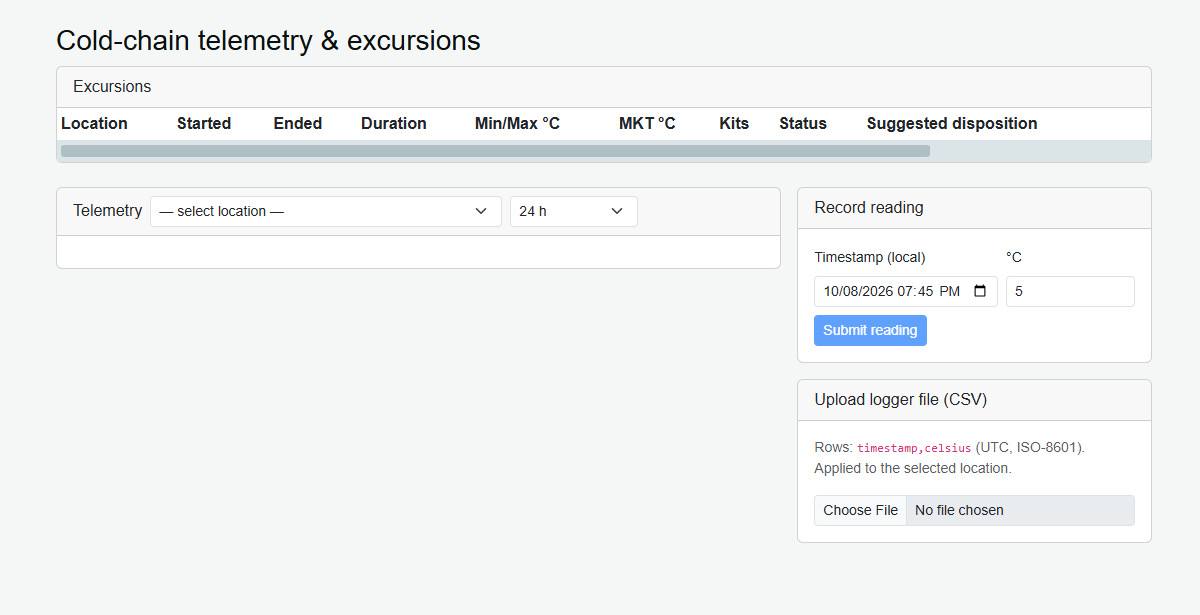
- Select the relevant permitted location and time window.
- Review count, minimum/maximum temperature and mean kinetic temperature summaries.
- Compare the record context with the approved handling specification and physical monitoring evidence.
Section 2: Excursions and stock restrictions
A reading may open or extend an excursion based on configured ranges. Excursion handling can affect stability budgets and kit quarantine. Calculated or suggested dispositions are advisory: they are not an automatic QA decision.
Section 3: Authorized disposition
- Review the excursion in PendingReview status with the supporting evidence.
- Choose the permitted Release or Destroy action only under the approved procedure.
- Complete the electronic-signature prompt with signer authentication and a meaningful reason.
- Review the explicit outcome and resulting record/status.
Do not use an unrelated manual inventory status change to bypass QA review.
Site record capacity
Temperature readings and excursion records share a combined per-site quota, default 100,000, maintained by System Admin in Master Application Settings. Incoming batches count new excursions as well as readings; a batch exceeding a limit is rejected in full. Existing records are never automatically removed to free capacity. Escalate blocked ingestion promptly under the monitoring procedure.
Troubleshooting and checks
A missing location can reflect site scope. Unexpected summaries may result from the selected time window or configured limits. Preserve questionable readings and escalate discrepancies rather than replacing evidence with a convenient value.
This guide supports training and does not authorize clinical decisions, override access controls or establish regulatory compliance. The approved protocol and organizational procedures remain authoritative.